Getting Started
Getting started
Learn how to transform your Rhino 3D models into stunning photorealistic renders with AI in minutes.
Installation
Step-by-step guides to installing the FastRender plugin for Rhino 8.
5-Minute Quickstart
Generate your first AI render in under 5 minutes.
Plugin Guide
Learn to use all plugin features for stunning results.
Examples
See what's possible with FastRender and get prompt inspiration.
FastRender.ai transforms your 3D models into photorealistic architectural renders using the power of AI. Whether you're an architect, interior designer, or visualization specialist, FastRender helps you create stunning visuals in seconds instead of hours.
What is FastRender.ai?
FastRender.ai is an AI-powered rendering service that consists of two main components:
Rhino Plugin
The FastRender plugin for Rhino 8 captures your 3D viewport and sends it to our AI rendering service. Simply set up your scene, configure your render settings, and click generate.
Web Application
View, download, and manage all your generated renders through our web dashboard. Track your usage, organize projects, and access your renders from anywhere.
How it works
FastRender uses advanced AI models to interpret your 3D scene and transform it into a photorealistic image. Here's the basic workflow:
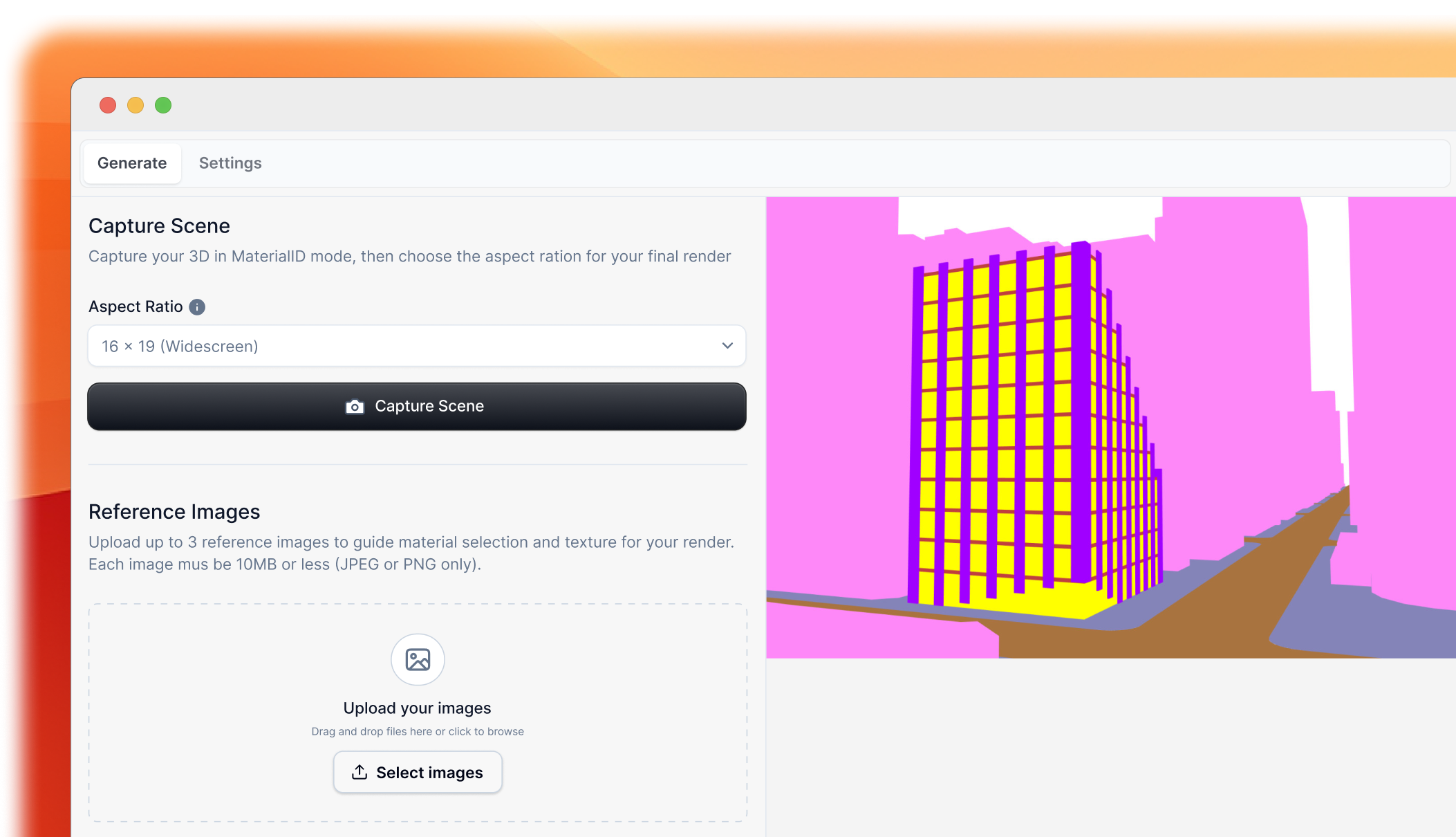
1. Capture your view
Set up your camera angle in Rhino and capture a snapshot of your 3D model using the FastRender plugin.
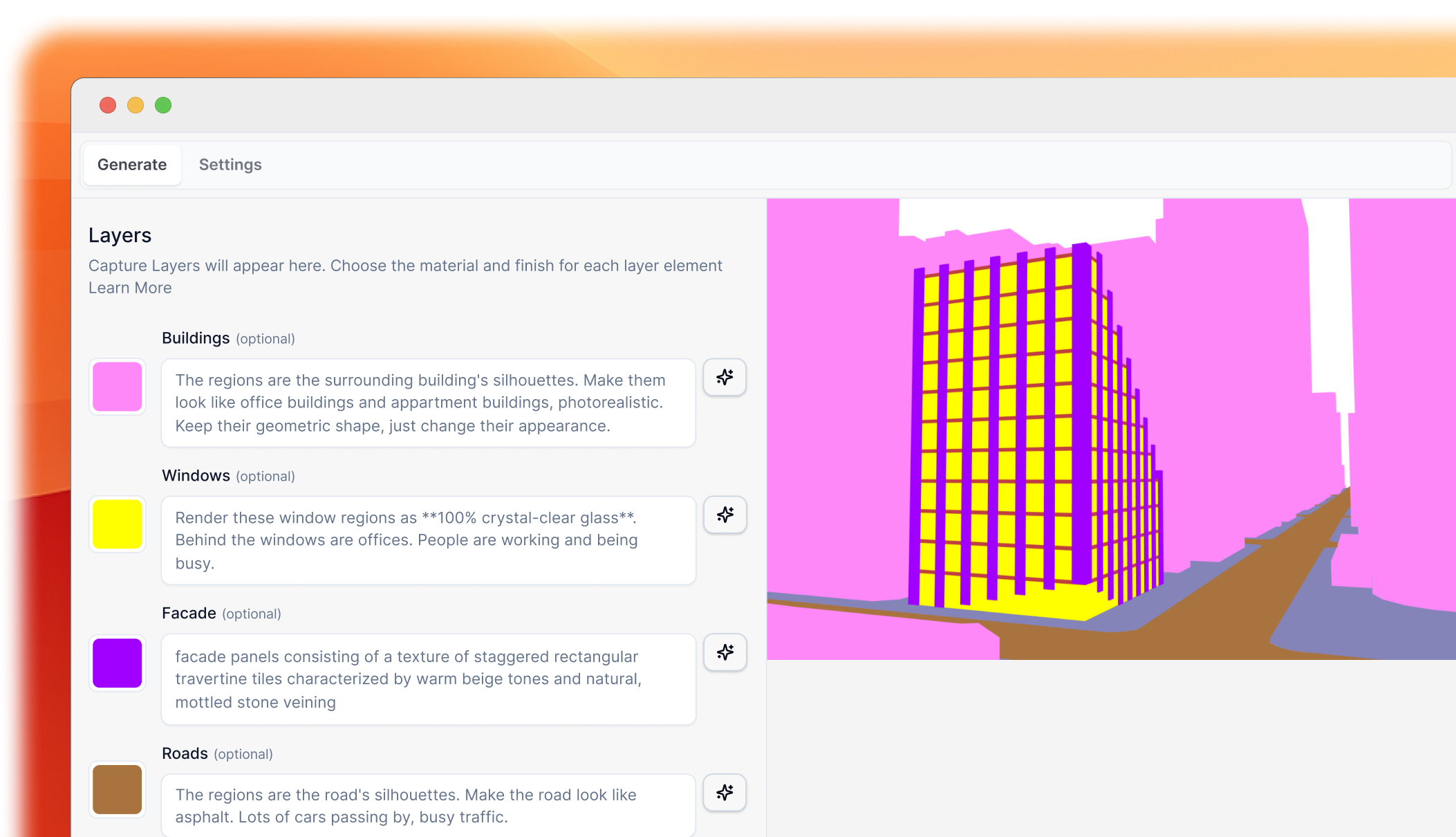
2. Configure settings
Choose your rendering style, lighting, materials, time of day, weather, and other creative options. Or use one of our preset prompts for quick results.
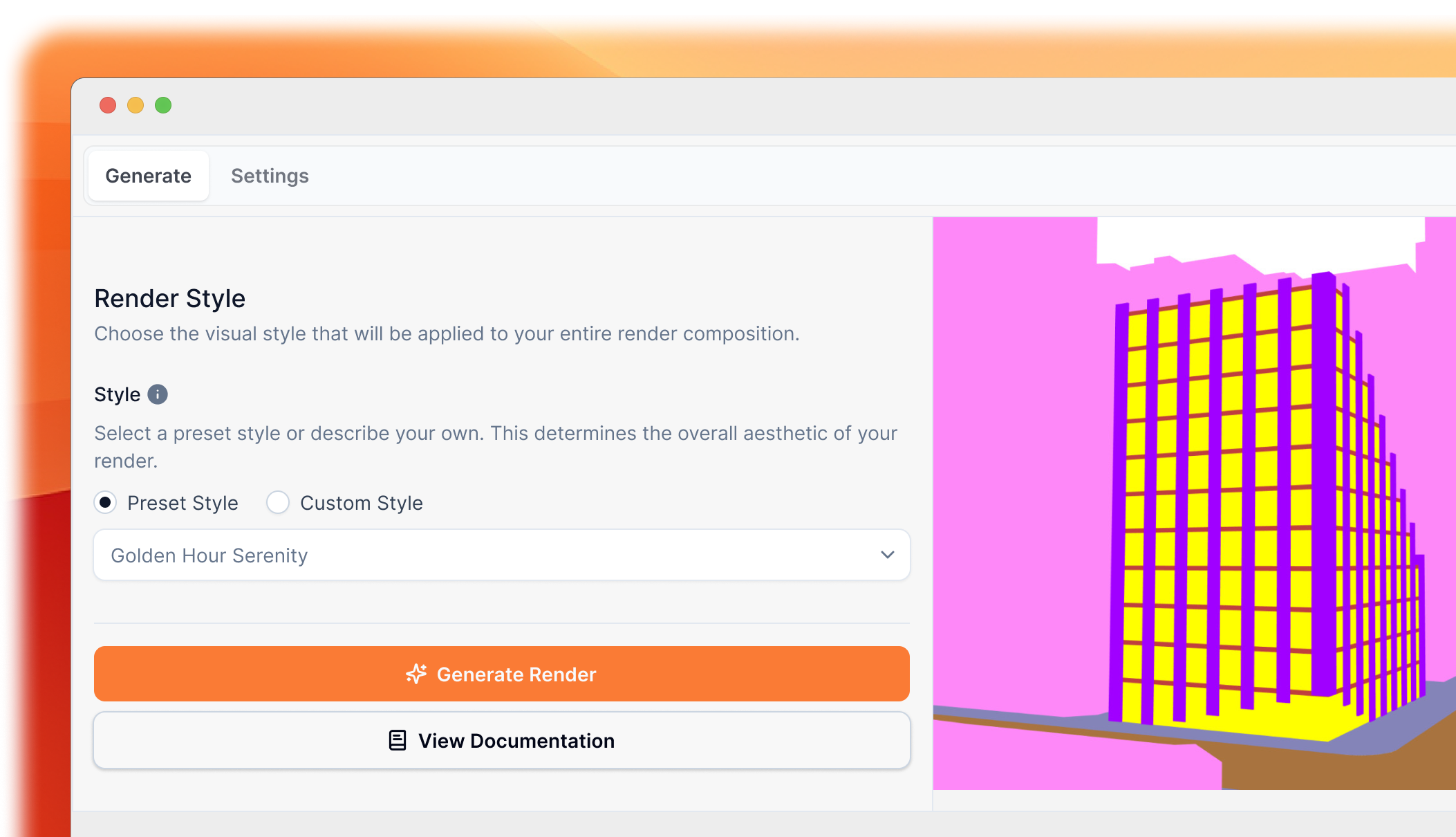
3. Generate
Click generate and our AI will create a photorealistic render in seconds. The image is automatically saved to your gallery.
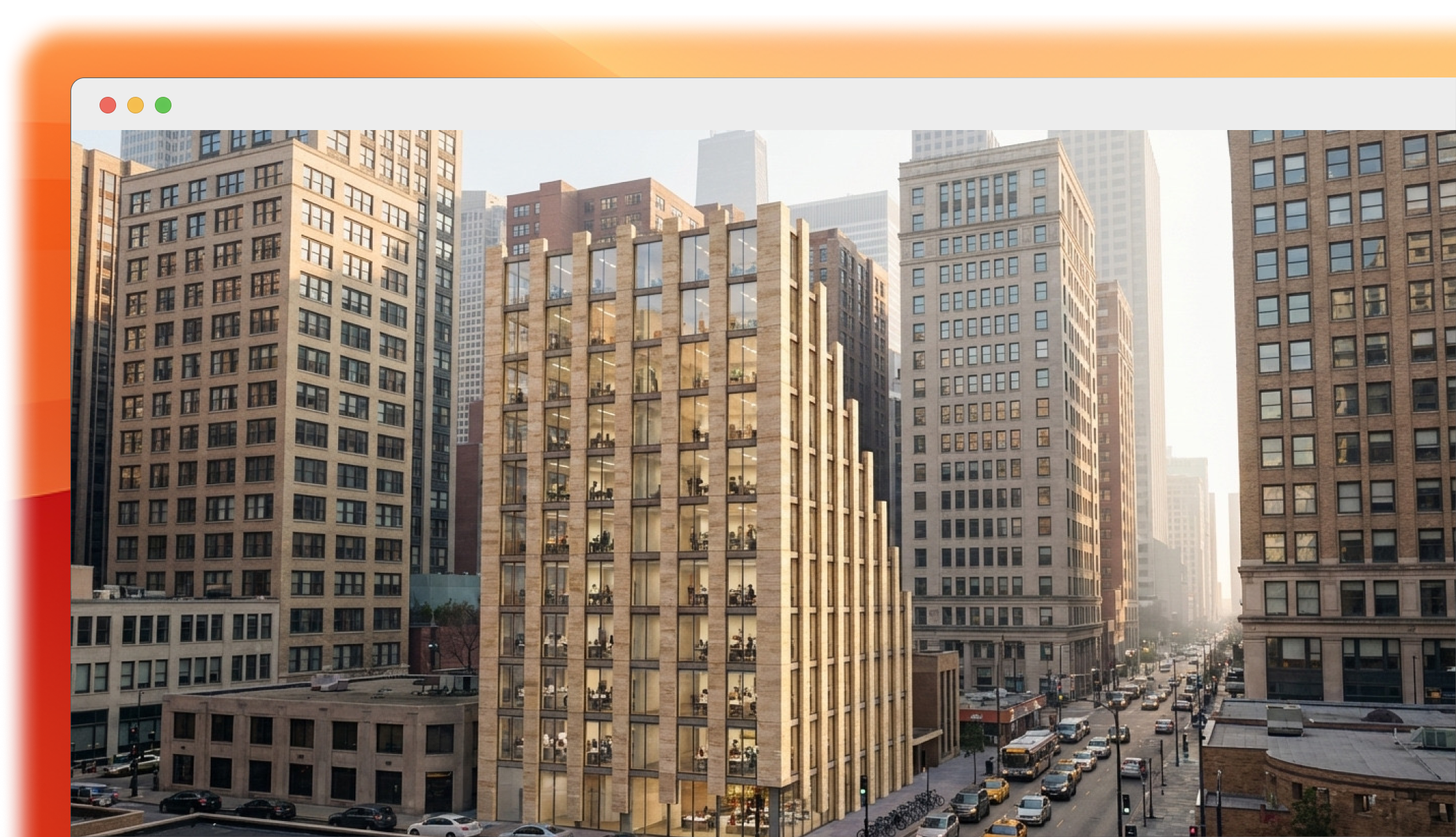
4. Download & use
Access your renders through the web app, download in your preferred format, and use in your presentations, proposals, or portfolio.
Key features
- Instant Results — Generate renders in seconds, not hours
- No Hardware Required — All processing happens in the cloud
- Natural Language — Describe your vision in plain English
- Reference Images — Upload inspiration images for style guidance
- Multiple Styles — Architectural, photorealistic, artistic, and more
- Web Gallery — Access your renders from anywhere
Getting help
If you run into any issues or have questions:
Documentation
Browse our comprehensive documentation for guides on every feature.
Email Support
Contact us at hello@fastrender.ai for technical support. We typically respond within 7 days.