Rhino Plugin
Location
The Location input tells the AI where in the world your building is located, which informs the surrounding context, architectural style, vegetation, and subtle environmental qualities.
Location
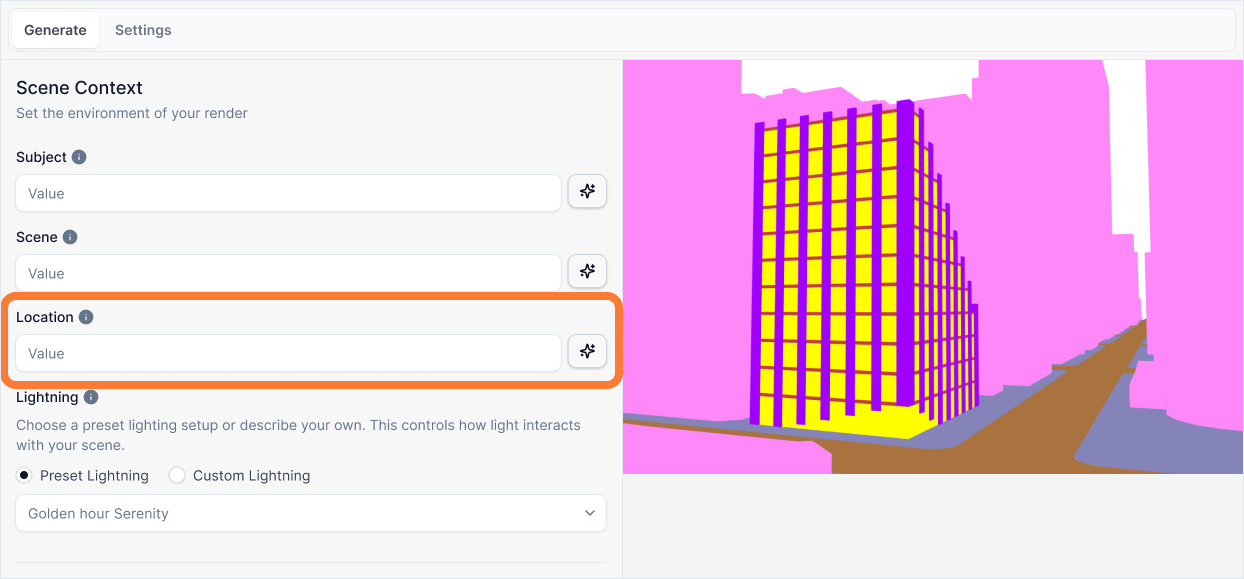
What it is:
The geographical setting of your project. This tells the AI where in the world your building is located, which informs the surrounding context.
Influence and importance:
A specific location helps the AI make more intelligent and context-aware decisions about the architectural style of surrounding buildings, the type of vegetation, and even the subtle quality of the light. While a weak location won't break the render, a good one adds a significant layer of realism and believability. The AI's training data associates different regions with specific materials, color palettes, and architectural styles, making your render more authentic.
What To Pay Attention To:
Be Specific When Possible: If your project is in a real place, name it. "The business district of downtown Chicago, USA" is much more powerful than "a city."
Describe a Region if Not a City: If it's not in a specific city, describe the general region and its character. "A quiet, forested region in the Pacific Northwest" gives the AI a lot of useful information.
Think About Context: The location you choose implies a certain environment. Tuscany, Italy suggests rolling hills and cypress trees. The Swiss Alps suggests snow and pine trees. This helps the AI build a more coherent world.
Writing Effective Location Descriptions
Follow this structure to provide rich geographical context:
[Specific Area/City] + [Region/Country] + [Geographic Character]
A forest.
A quiet forested region in the Pacific Northwest, USA, near the rocky coast.
Why the second prompt is better:
This prompt gives the AI a rich set of cultural and environmental concepts to build a believable world from:
Specific Area/City: "A quiet forested region..." This immediately tells the AI to prioritize natural elements over urban ones. It helps determine the specific type of vegetation (pine trees, ferns) rather than generic "trees."
Region/Country: "...in the Pacific Northwest, USA..." This is a powerful anchor. The AI's training data associates this region with specific building materials (timber, stone), a cool color palette, and a specific "mood" different from the Mediterranean or the Tropics.
Geographic Character: "...near the rocky coast." Reinforces the terrain and atmosphere. It tells the AI to expect rugged terrain and perhaps a horizon line that suggests the ocean, creating a highly specific and cohesive environment.
Best Practices
When writing your location description:
Name real places when possible - Specific cities or neighborhoods provide the richest context. "Downtown Seattle" is better than "a city in the Pacific Northwest."
Use recognizable regions - If you can't be city-specific, use well-known regions that have distinct characteristics (Tuscany, the Swiss Alps, the Pacific Northwest, the Mediterranean coast).
Add geographic character - Include terrain features (coastal, mountainous, urban, rural) to help the AI understand the landscape.
Consider architectural implications - Different locations suggest different building materials and styles. A location in Tuscany implies stone and terracotta, while the Pacific Northwest suggests timber and natural materials.
Think about vegetation - Location determines vegetation types. Mediterranean locations suggest cypress and olive trees, while Pacific Northwest suggests pine and ferns.
Be consistent with Scene - Your Location should complement your Scene description. If your Location is "downtown Chicago," your Scene should reflect urban elements, not rural ones.
The location description works best when it provides enough context for the AI to make intelligent decisions about the surrounding world without being overly restrictive.