Rhino Plugin
Subject
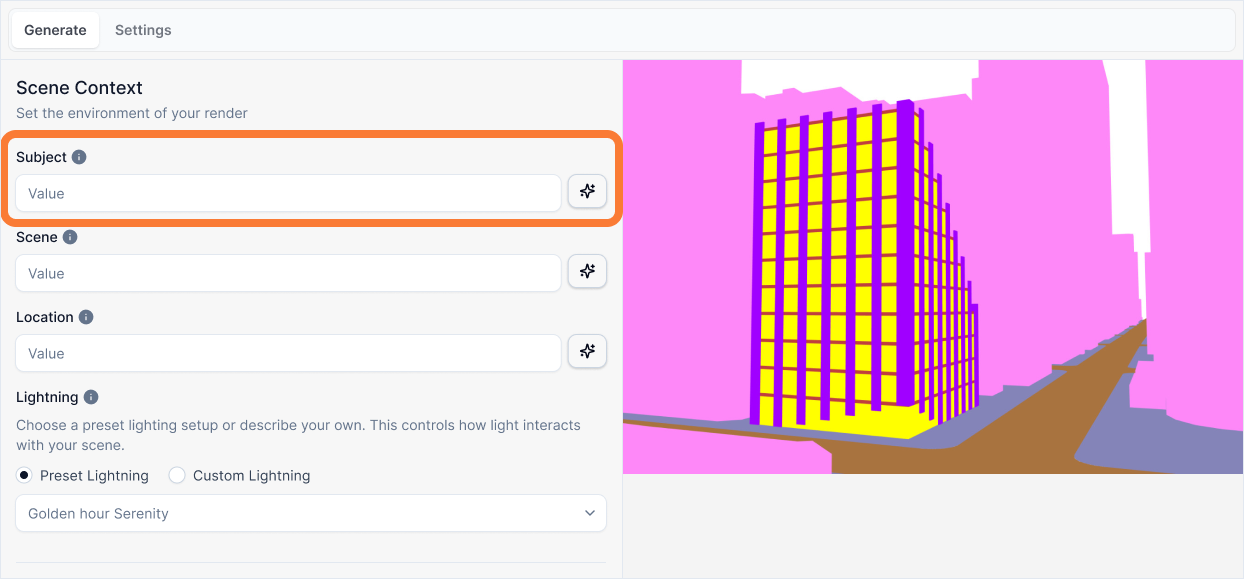
The Subject input is a brief, factual title or caption for your captured view. This is your single most important instruction for telling the AI what the abstract shapes in your viewport represent before it tries to change them.
Subject
What it is:
A brief, factual title or caption for your input image. This is your single most important instruction for telling the AI what the abstract shapes in your captured view represent before it tries to change them.
Influence and importance:
This is your primary defense against the AI making unwanted changes to the composition or camera angle. Without a clear subject, the AI is forced to guess what the shapes are, which can lead to unpredictable results. A good subject description acts as a powerful anchor for the AI's "imagination," locking in the geometry and preventing creative reinterpretations.
What To Pay Attention To:
Describe the View Type: State what you see simply. Is it a close-up, a view from across the street, or a view from above? Here are some examples to use:
- (High altitude) An aerial, bird's-eye view of...
- (Mid-altitude) A high-angle looking down at...
- (Human height) A straight-on, eye-level view of...
- (Looking up) A dramatic low-angle worm's-eye view of...
- (Parallel projection) An isometric view of...
Describe the Subject Type: What is it? An office building, a house, a skyscraper, an interior of an apartment? How many floors does it appear to have?
Describe the Main Geometrical Feature: What is the most noticeable thing about the subject in this view? Does it have big balconies, a curved facade, or a sharp corner, an open floor plan layout?
Writing Effective Subject Descriptions
Follow this structure to create a solid anchor for your geometry:
[View Type] + [Subject Type] + [Key Geometrical Feature]
A building
A straight-on view of the side of a tall apartment building with many overlapping balconies.
Why the second prompt is better:
This prompt acts as a solid anchor for the geometry by following the structural syntax:
View Type: "A straight-on view..." Locks in the camera angle in simple terms. It confirms the information from your captured view and tells the AI not to get creative with the viewpoint.
Subject Type: "...of the side of a tall apartment building..." Defines the subject's function and scale (e.g., window sizes, floor heights) in everyday language, preventing the AI from rendering a toy model or a skyscraper.
Key Geometrical Feature: "...with many overlapping balconies." Identifies the most complex or unique shape in the massing, telling the AI to pay special attention to rendering these elements correctly rather than flattening them.
Best Practices
When writing your subject description:
Be specific, not generic - "A building" tells the AI nothing. "A straight-on view of a three-story residential house" gives clear guidance.
Match your viewport - Describe what you actually see in your Rhino viewport, not what you wish you saw.
Include the camera angle - Always start with the view type to lock in the perspective and prevent unwanted camera changes.
Highlight unique features - Mention distinctive geometric elements (curves, angles, protrusions) that the AI should preserve.
Keep it brief - A good subject description is one sentence. You'll add more detail in other inputs like Scene and Location.
The subject description works best when it's factual and descriptive, acting as a foundation for all other prompt inputs to build upon.