Rhino Plugin
Scene
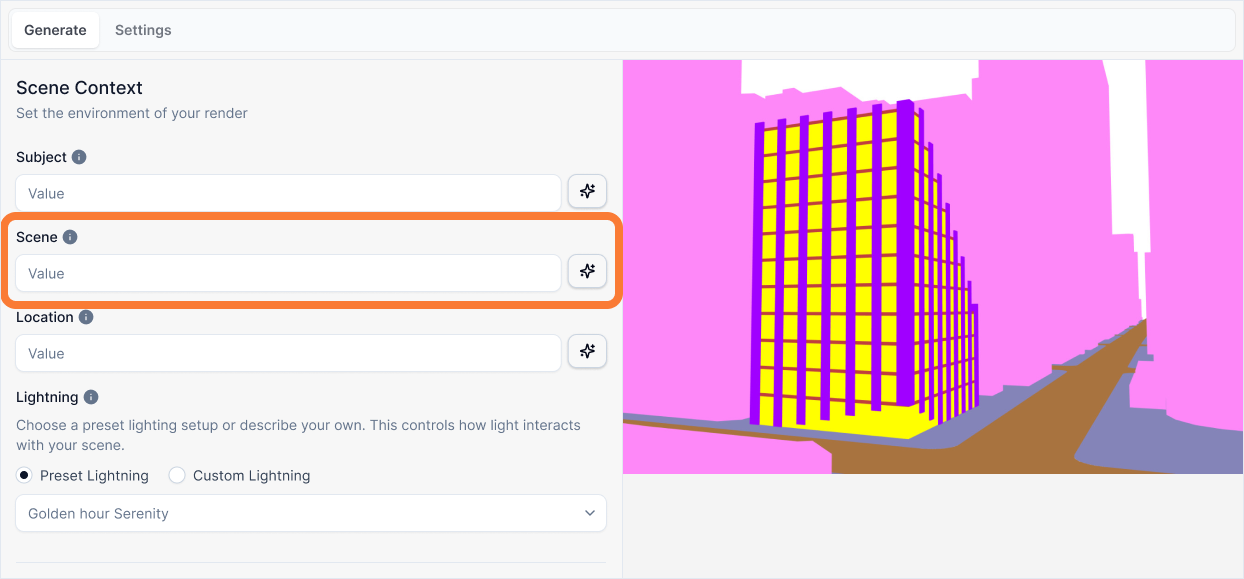
The Scene input describes the immediate environment and activity that will be rendered in the white background areas of your image. This is where you build the "world" that your building lives in.
Scene
What it is:
A description of the immediate environment and activity that will be rendered in the white background areas of your image. This is where you build the "world" that your building lives in.
Influence and importance:
This input is the Set Decorator. Its primary job is World Building. If this description is weak, your building will look like it is floating in a generic void. If it includes the wrong information (like weather), it will break the lighting presets. Paint a picture with specific, renderable details. Instead of "a street," say "a bustling city street lined with natural stone sidewalks and motion-blurred traffic." Describe physical objects and activity only.
Important: Describe Objects Only
Do not include weather, lighting, or atmospheric conditions in your Scene description. These are controlled by the Lighting preset and will conflict if mentioned here. Focus only on physical objects, surfaces, and activity.
What To Pay Attention To:
Describe the Ground Surface: What is the building sitting on? Is it a wide asphalt road, a narrow cobblestone street, or a gravel path?
Describe the Immediate Surroundings: What is directly next to or lining your building? Is it a row of large oak trees, similar-height brick townhouses, or modern streetlamps?
Describe the Specific Activity: Add objects that give the scene life. This is where you can be creative. Mention things like parked bicycles, classic cars, a person walking a dog, or motion-blurred traffic.
Describe the Background Context: What fills the distance behind the building? Is it a dense city skyline, a misty mountain range, or an open horizon?
Writing Effective Scene Descriptions
Follow this structure to create a complete physical world:
[Ground Surface] + [Immediate Surroundings] + [Specific Activity] + [Background Context]
A street with cars and people.
A paved residential street with concrete sidewalks, lined with large oak trees. A few classic cars are parked along the curb, and a person is walking a dog. Suburban houses are visible in the distance.
Why the second prompt is better:
This prompt paints a complete physical picture by following the structural syntax:
Ground Surface: "A paved residential street with concrete sidewalks..." Defines exactly what the building is sitting on, ensuring the base of the model integrates correctly with the ground.
Immediate Surroundings: "...lined with large oak trees." Populates the middle ground with specific, renderable objects ("Oak trees" vs just "trees").
Specific Activity: "...A few classic cars... a person is walking a dog." Adds specific life and narrative character to the scene without accidentally describing the mood or lighting.
Background Context: "...Suburban houses are visible in the distance." Fills the depth of the image, ensuring the building isn't floating in a void.
Best Practices
When writing your scene description:
Be specific, not generic - "A street" is vague. "A paved residential street with concrete sidewalks" gives the AI concrete details to render.
Focus on physical objects only - Describe surfaces, objects, and activity. Avoid weather, lighting, or atmospheric conditions (these are controlled by Lighting presets).
Build from ground up - Start with what's under the building, then move outward to surroundings, activity, and background.
Use specific nouns - "Large oak trees" is better than "trees." "Classic cars" is better than "vehicles." Specificity helps the AI render accurately.
Add life and activity - Include objects that suggest movement or presence (parked bicycles, people, motion-blurred traffic) to make the scene feel lived-in.
Complete the picture - Don't forget the background. A building floating in white space looks unfinished. Describe what fills the distance.
The scene description works best when it creates a complete, believable world around your building without conflicting with other inputs like Lighting or Style.