Rhino Plugin
Aspect Ratio
The Aspect Ratio dropdown allows you to choose the proportions of your final rendered image, ensuring it matches your intended use case and composition.
Aspect Ratio
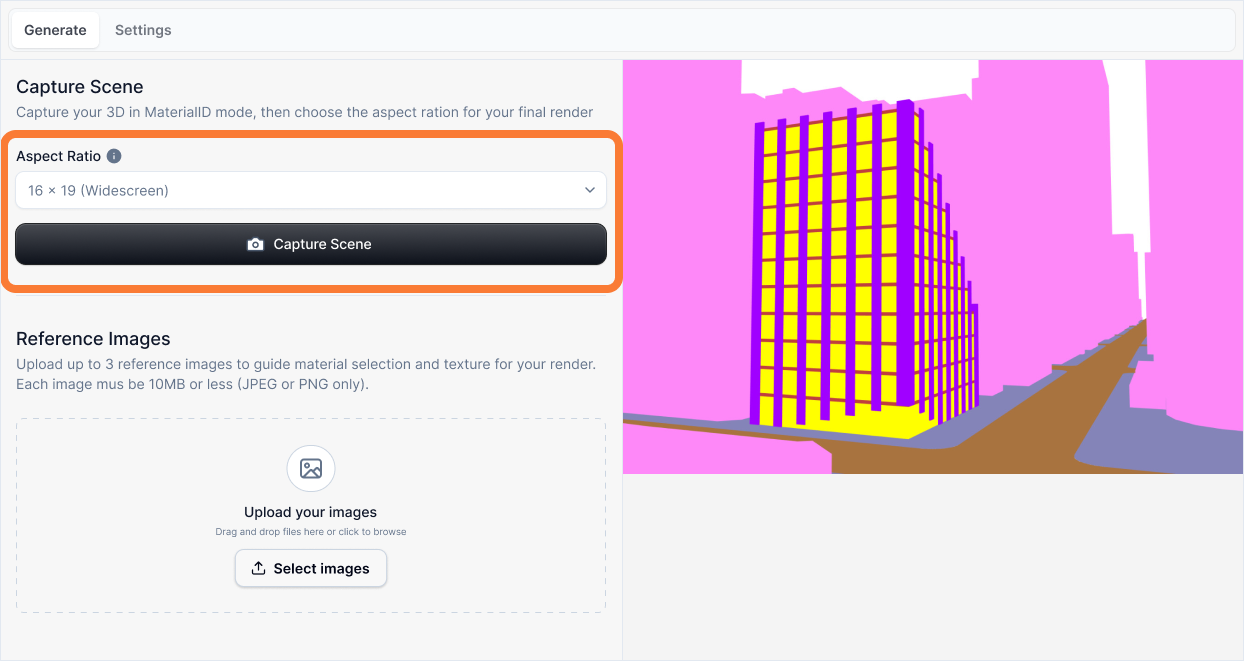
What it is:
A dropdown menu that lets you select the width-to-height ratio of your rendered image. The aspect ratio determines the shape and proportions of your final render, affecting how your composition is framed and cropped.
Influence and importance:
Choosing the right aspect ratio is crucial for matching your render to its intended use. A portrait orientation (9:16) works better for social media posts, while landscape formats (16:9, 21:9) are ideal for presentations and desktop wallpapers. The selected ratio also affects how your composition is cropped, so choose one that complements your camera angle and subject framing.
What To Pay Attention To:
Intended Use Case: Consider where your render will be displayed. Social media posts often use square (1:1) or portrait (9:16) formats, while presentations and portfolios typically use landscape ratios (16:9, 4:3).
Composition: Match the aspect ratio to your subject's orientation. Tall buildings work well in portrait formats, while wide facades benefit from landscape ratios.
Preview Updates: The preview section automatically updates to show how your composition will be cropped with the selected aspect ratio, helping you visualize the final result.
Common Formats: Familiarize yourself with standard aspect ratios:
- 1:1 - Square format, versatile for social media
- 16:9 - Widescreen landscape, standard for presentations and videos
- 9:16 - Portrait/vertical, ideal for mobile and social media stories
- 21:9 - Ultrawide, dramatic cinematic format
Available Aspect Ratios
The following aspect ratios are available in the dropdown:
- 1:1 - Square (Instagram posts, profile images)
- 16:9 - Widescreen landscape (presentations, desktop wallpapers)
- 9:16 - Portrait/vertical (Instagram stories, mobile displays)
- 4:3 - Traditional landscape (classic photography)
- 3:4 - Portrait (portrait photography)
- 3:2 - Landscape (35mm film format)
- 2:3 - Portrait (35mm portrait format)
- 4:5 - Portrait (social media portrait)
- 5:4 - Landscape (large format photography)
- 21:9 - Ultrawide (cinematic, panoramic views)
Best Practices
When selecting an aspect ratio:
- Consider your end use - Match the ratio to where the render will be displayed
- Check the preview - Verify that your composition looks good with the selected ratio
- Experiment - Try different ratios to see which best frames your subject
- Think about cropping - Some ratios may crop important elements, so adjust your viewport accordingly
The preview section updates in real-time as you change the aspect ratio, allowing you to see exactly how your render will be framed before generating.